```html
Coupons & Promotions

Samsung Refrigerator Light Blinking and Not Cooling

On Samsung refrigerators, a blinking display or flashing interior lights is not random — it's a deliberate signal from the control system that something specific has gone wrong. The blinking pattern, when it started, and whether it followed a recognizable event will tell you which of three very different problems you're dealing with — before you call anyone or touch any components.


Which scenario matches what’s happening? 

Blinking started after a power outage or surge

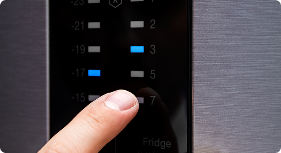
The display is flashing "88 88," showing dashes, or blinking temperature numbers and it started right after power was restored. This is almost always a control panel reset state, not a component failure. Press and hold Power Cool + Power Freeze for 5 seconds. Most units recover completely and this costs nothing.

Temperature display blinking; fridge gradually warmer over days

The fridge has been slowly losing cooling over days or weeks, and now the temperature display is blinking a warning. This gradual pattern strongly points to defrost system failure as ice has accumulated on the evaporator coils and is blocking airflow. A forced defrost cycle is often a free fix that buys time while you diagnose the root cause.

Sudden complete loss of cooling with error code

Cooling stopped abruptly, the fridge is warm, and the display shows a specific error code (5E, 8E, 14E, PC ER, or similar). This sudden pattern indicates a sensor, fan, or compressor-system failure rather than a defrost issue. Error codes are your most precise diagnostic tool here


Use the error code reference and triage table below to confirm your specific cause before spending time or money on a repair.

Samsung Refrigerator Error Codes

Note the exact code on your display before doing anything else because it could narrow the diagnosis dramatically and save a $150 diagnostic service call.


Error Code

What It Means

Recommended Action

88 88 / – –

Power reset state — display lost its settings after a power event

Hold Power Cool + Power Freeze 5 seconds. If it clears, monitor for 24 hours. No parts needed.

5E / SE

Freezer sensor failure — control board can't read freezer temperature

Unplug 5 minutes and retry. If code returns, test or replace the freezer temperature sensor ($20–$40 part).

8E

Ice maker sensor failure

Reset first. If persistent, test the ice maker sensor for continuity. Replace if failed.

14E

Ice maker fan motor failure — fan not spinning or spinning too slowly

Check the fan blade for ice obstruction first (free fix if frozen). If motor has failed, replace the fan motor.

PC ER

Communication error between refrigerator and freezer control boards (French door models)

Unplug for 10 minutes. If code returns, inspect the wire harness between the two compartments. May require control board replacement.

41E / 42E

Freezer or refrigerator fan motor error

Check for ice buildup around fan blades. Defrost unit 24–48 hours. If the motor is seized, replace the fan motor.

84C / 85C

Compressor or inverter board communication error

Do not attempt DIY. Call a certified Samsung technician — this indicates a compressor-system issue.

No code; display blinking all segments

Demo mode ("shop mode") — cooling disabled intentionally

Hold Energy Saver + Power Cool simultaneously for 5 seconds to exit demo mode. Common after delivery or installation.


Quick Diagnostic Triage


What You’re Seeing

Most Likely Cause

Recommended First Step

Display shows "88 88" or dashes; cooling seems fine

Power reset state — control panel lost settings

Hold Power Cool + Power Freeze simultaneously for 5 seconds. Allow 24 hours to stabilize. No parts needed.

All display segments blinking; fridge not cold at all

Demo / shop mode accidentally activated

Hold Energy Saver + Power Cool for 5 seconds to exit demo mode. Common after delivery, installation, or a child pressing button combinations.

Temperature display blinking; fridge warmer than set temp

Door left open / temperature alarm 

Close all doors firmly. Check door gaskets for gaps. Reset the alarm by pressing any button. Allow 4 hours for temperature to recover before further troubleshooting.

Gradual cooling loss over days; frost visible on back freezer wall

Defrost system failure — ice blocking evaporator coils

Run a forced defrost: hold Power Freeze + Fridge button 8 seconds. Or unplug unit 24–48 hours with doors open. If problem recurs, the defrost heater or thermostat needs replacement.

Freezer works fine; refrigerator compartment warm

Evaporator fan motor failed or iced over

Open the freezer and listen for the fan (press the door switch to simulate closed). No sound or grinding = fan issue. Check for ice obstruction first before replacing the motor.

Error code 5E or SE on display

Freezer temperature sensor failure 

Unplug 5 minutes. If code returns, test the sensor for continuity and replace if failed. Part is inexpensive and accessible without major disassembly.

Error code PC ER on display (French door models)

Communication fault between dual control boards

Unplug 10 minutes. Check the wire harness connecting the two compartments for pinching or damage. If error persists, call a technician — one or both boards may need replacement.

Error code 84C, 85C, or compressor runs briefly then stops

Compressor or inverter board failure

Do not attempt DIY. Contact a Samsung-certified technician immediately. Check if your model is within Samsung's compressor warranty (10 years on many models).

Blinking starts every few weeks, then resolves on its own

Recurring defrost failure or intermittent sensor fault

Run Samsung's diagnostic mode to capture error codes before the next reset. A recurring issue that self-resolves often points to a failing defrost thermostat or heater that only cuts out intermittently.


⚠ Model-Specific Note

Most Commonly Affected Samsung Models For This Symptom

Based on Samsung service bulletins, CPSC complaint data, and technician field reports, these models have the highest reported rates of blinking-with-no-cooling failures:


  • RF28R7351SG / RF28R7201SR (28 cu. ft. French door) — defrost system failure is the dominant complaint; ice accumulates on evaporator coils, blocking airflow. Samsung issued a repair program for qualifying units, so check your serial number before paying for any repair.
  • RF23M8570SG / RF22R7551SG (4-door French door) — PC ER communication errors between the two control boards are disproportionately reported; the wire harness connecting the compartments is the first place to inspect.
  • RF265ABWP / RF263BEAESR (older French door) — evaporator fan motor failures and defrost heater failures most common on units 5–8 years old; both are relatively accessible DIY repairs.
  • RS27T5200SR / RS22T5201SR (side-by-side) — temperature sensor failures (5E/SE codes) reported at elevated rates; sensor replacement is a straightforward, inexpensive repair.
  • RF4267HARS / RF217ACBP (older French door) — control board failures most common; note that Samsung's 10-year compressor warranty may still apply to some of these units, so always verify warranty status before authorizing compressor-related repairs.


Important: Samsung's 10-year sealed system warranty (compressor, evaporator, condenser, connecting tubing) applies to many models manufactured after 2016. If your refrigerator is under 10 years old and the compressor has failed, verify warranty coverage before paying for repair.

Extend the Life of Your Appliance

Find Your Solution Here!

Learn More

Key Reasons for the Problem:

%

40% of reported issues are the

Door Left Openquestion

%

30% of reported issues are the

Defrost System Failurequestion

%

20% of reported issues are the

Control Boardquestion

%

10% of reported issues are the

All Other Causesquestion

Repairs ranging $175–$900? A home warranty can cover that entire range.

Liberty Home Guard's Appliance Guard plan covers Samsung refrigerators — defrost systems, fan motors, control boards, sensors, and more — parts and labor under one flat annual cost.

See Appliance Guard

Diagnostic and Troubleshooting Steps

Samsung refrigerator light blinking and not cooling? Follow the steps below to troubleshoot common issues like a failed evaporator fan motor, malfunctioning temperature sensors, or a defective control board.
Diagnostic & Troubleshooting
Reset the display panel and check for demo mode
Step 1:

Reset the display panel and check for demo mode

  • Press and hold Power Cool + Power Freeze simultaneously for 5 seconds. If the display was showing "88 88" or dashes after a power event, this reset will typically clear the error and restore normal operation. Separately, check for demo mode (all segments blinking, no cooling) by holding Energy Saver + Power Cool for 5 seconds to exit. Allow 24 hours for the interior to reach set temperature before concluding whether cooling has been restored.
Check Internal Temperatures and Door Seals
Step 2:

Check Internal Temperatures and Door Seals

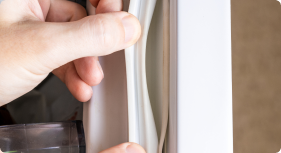
  • High internal temperature triggers Samsung's blinking temperature alarm, and the most common cause of high temperature is a door that was left ajar or a compromised door gasket. Inspect all door gaskets by running your hand around the seal while the door is closed, feeling for cold air escaping. The dollar-bill test works well: close the door on a bill; if it slides out without resistance, the seal needs replacement. Also check that food isn't packed so tightly against the back wall that it blocks the air vents.
     
Run a forced defrost cycle

Step 3:

Run a forced defrost cycle

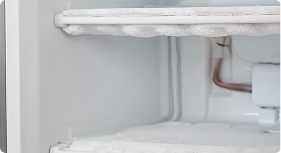
  • To run a forced defrost on most Samsung French door models, hold the Fridge button + Power Freeze button simultaneously for 8 seconds until the display changes. On some models the sequence differs, consult your manual. The unit will enter defrost mode, you'll hear a clicking sound, and frost on the evaporator coils will begin to melt. If cooling is restored after defrost, the defrost heater, defrost thermostat, or defrost sensor is the root cause and will need replacement to prevent recurrence.
Inspect the Evaporator Fan

Step 4:

Inspect the Evaporator Fan

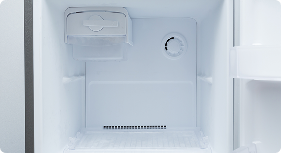
  • If the freezer is cold but the refrigerator compartment is warm, the evaporator fan is almost certainly the culprit. Open the freezer and press the door switch to simulate a closed door. You should hear the fan running. No sound, or a grinding/scraping sound, indicates a failed or iced-over fan motor. Check for ice buildup around the blade before replacing the motor. If the blade is simply frozen in place, defrosting the unit resolves the issue without any parts.
     
Test the Temperature Sensors

Step 5:

Test the Temperature Sensors

  •  Error codes 5E, 8E, or other sensor-related codes indicate the control board is receiving an out-of-range signal from a temperature sensor. After unplugging the unit for 5 minutes, if the code returns, locate the affected sensor which is typically a small thermistor attached to the evaporator or in the compartment wall, and test for continuity with a multimeter. Resistance should change with temperature; a fixed or open reading indicates sensor failure.
     
Run Samsung's built-in diagnostic mode

Step 6:

Run Samsung's built-in diagnostic mode

  • Most Samsung refrigerators have a self-test mode accessible from the control panel. A common activation sequence is to hold the Energy Saver + Freezer Temp buttons simultaneously for 8 seconds until the display changes. The unit will cycle through component tests and display active error codes. Document every code shown.
     
Check the control board and wiring harness

Step 7:

Check the control board and wiring harness
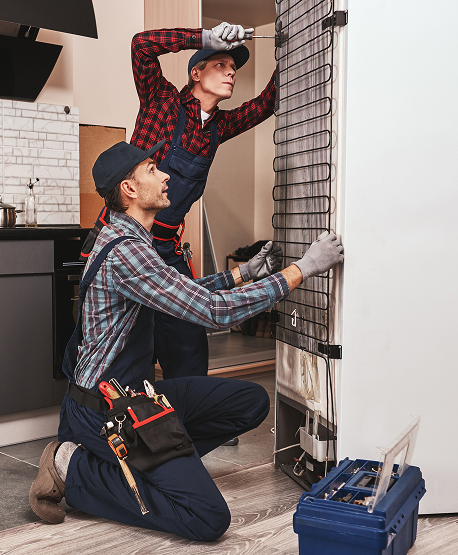
  • If all other components check out and the unit still won't cool, the main control board or its connections may be faulty. On French door models, inspect the wire harness connecting the upper and lower control boards for pinching, corrosion, or loose connectors. This is the most common cause of PC ER errors. Visually inspect the main control board for burned components, bulging capacitors, or scorch marks.
     

Key Actions for Homeowners

  • Don't ignore a blinking temperature display — it signals the refrigerator is above safe food temperature. Act within 4 hours and move perishables if the unit isn't cooling.
  • Keep the interior vents clear. Overpacking, especially against the rear wall, blocks the airflow from the evaporator fan and causes temperature rises that trigger alarms without any component failure at all.
  • Check door gaskets quarterly. Damaged or stiff gaskets are the single most preventable cause of temperature alarms and defrost overload. Wipe them with a mild cleaner and apply a thin coat of petroleum jelly annually to keep them supple.
  • Defrost the unit proactively if you notice the freezer frosting up excessively between automatic defrost cycles. This is an early sign of a failing defrost heater or thermostat. Catching it early means a $40 part; ignoring it can escalate to evaporator fan and compressor damage.
  • Install a surge protector or whole-home surge suppressor. Samsung control boards are sensitive to voltage events. The vast majority of "88 88" blinking calls that reach technicians are power surge aftereffects.
  • Verify Samsung's warranty status for your model before authorizing any compressor-related repair. The 10-year sealed system warranty applies to many models and can save $400–$900 in repair costs.
  • Have a technician run Samsung's diagnostic mode annually once the unit is 5+ years old, to catch failing sensors or defrost components before they cascade into larger failures.
Diagnostic & Troubleshooting

Most Common Repairs With Realistic Cost Ranges

Costs shown reflect parts plus professional labor. DIY parts-only costs are 50–70% lower. All figures are national averages and vary by region and technician. Always check Samsung's warranty coverage first as many models carry a 10-year sealed system warranty that can make compressor-related repairs free.
 

    • Reset the control panel or exit demo mode ($0 DIY) — A power event can leave the control panel in a reset state (showing 88 88 or dashes) that looks alarming but clears in 5 seconds. Demo mode, accidentally activated during installation or by curious children, disables cooling entirely while keeping the display active. No parts, no tools, no technician needed. Always try this before anything else.
    • Replace temperature sensors (thermistors) ($120-$240 with labor) — Temperature sensors (thermistors) tell the control board what the compartment temperatures are. A failed sensor produces codes like 5E or 8E and causes the control board to either over-cool, under-cool, or shut down cooling entirely. Sensors are among the cheapest components on the refrigerator, but the labor cost dominates here. Confirm the specific sensor causing the error code before ordering.
    • Repair or replace the main control board ($280-$490 with labor) — The board manages all cooling functions. When it fails, the result can be anything from erratic temperature to complete shutdown. Before replacing, rule out sensors, inspect the wiring harness for loose connections, and confirm with diagnostic error codes that the board itself is the fault.

Frequently Asked Questions

  • Why is my Samsung refrigerator blinking and not cooling?

    Blinking lights on Samsung refrigerators are a deliberate alert system — the pattern and timing tell you which of several possible problems is occurring. The most common cause overall is a temperature alarm triggered by a door left open or a compromised gasket. The second most common is defrost system failure where ice has accumulated on the evaporator coils and blocked airflow. Control board faults account for about 20% of cases. Before doing anything else, note any error code on the display as it directly identifies the failing component and is the most efficient starting point for diagnosis.

  • How do I reset my Samsung refrigerator after a power outage?

    Press and hold the Power Cool and Power Freeze buttons simultaneously for 5 seconds. This resets the control panel and clears the "88 88" or dashed display that commonly appears after a power event. Allow up to 24 hours for the interior to reach a set temperature. The compressor takes time to re-stabilize after being powered down. If blinking resumes after 24 hours or the unit isn't cooling, the issue goes beyond a simple reset and needs further diagnosis.
     

  • Can ice buildup cause my fridge to stop cooling?

    Yes, and it's the second most common cause of this symptom at 30% of cases. When the defrost heater, thermostat, or sensor fails, the automatic defrost cycle stops running and ice accumulates on the evaporator coils. Enough ice completely blocks the airflow that the evaporator fan distributes throughout the cabinet — the compressor keeps running normally, but no cooled air reaches the compartments. The symptom is typically gradual. First, the fridge gets progressively warmer over days or weeks before failing completely. Running a forced defrost will restore cooling temporarily, but without replacing the failed defrost component, the ice will return within 2–4 weeks.

  • What does error code 88 88 mean on a Samsung refrigerator?

    The "88 88" display means the control panel has lost its settings which is almost always triggered by a power interruption. It is not a component failure code. The panel needs a reset by holding Power Cool + Power Freeze for 5 seconds. If the display clears and the unit resumes cooling normally, no repair is needed. If "88 88" returns repeatedly without a power event, or if the unit doesn't cool after the reset, the control board may have a fault and further diagnosis is warranted.

  • Should I call a technician if the blinking continues and the fridge stays warm?

    Yes, but first try the free steps in order: reset the control panel, check for demo mode, confirm all doors are sealing properly, and run a forced defrost cycle. If none of those resolve the issue, or if the problem recurs within 2–4 weeks, a component has failed (defrost heater, sensor, fan motor, or control board) and professional diagnosis is the most efficient next step. Note your error code before the technician arrives.
     

  • How much does it cost to fix a Samsung refrigerator that's blinking and not cooling?

    The range is exceptionally wide on this symptom because the underlying cause can be so different. Free fixes include a panel reset, exiting demo mode, closing a door, and clearing a blocked vent. Low-cost repairs ($100–$240 with labor) often involve door gasket replacement or temperature sensor replacement. Mid-range repairs ($175–$320) include defrost heater, thermostat, or evaporator fan replacement. High-range repairs ($280–$490) may include main control board replacement, while maximum cost ($400–$900) repairs are replacements of the  compressor or inverter board. But, Samsung's 10-year sealed system warranty may make this free on qualifying models. Always check warranty status before authorizing any compressor-related repair.

  • Should I repair my Samsung refrigerator or replace it when it's not cooling?

    The answer depends heavily on which component has failed and whether the unit is still under warranty. For most component failures — defrost system, fan motor, sensors, control board — repair is almost always the right call on a unit under 8 years old. Samsung French door and 4-door refrigerators retail for $1,500–$3,500, so even a $400 control board replacement represents a small fraction of replacement cost. The critical exception is a compressor failure on an out-of-warranty unit older than 8–9 years: at $600–$900 for repair and the refrigerator already depreciated, replacement is often the better investment. A useful rule is that if the repair cost exceeds 50% of the current market value of the refrigerator, replacement is worth serious consideration.
     

  • Does a home warranty cover a Samsung refrigerator that's blinking and not cooling?

    Yes, refrigerator cooling failures are among the most frequently claimed benefits under appliance warranty plans. Liberty Home Guard's Appliance Guard plan covers Samsung refrigerators for mechanical and electrical failures including defrost system components, evaporator fan motors, temperature sensors, control boards, and compressor-related failures,  including both parts and labor. On a $280–$490 control board repair or a $175–$320 defrost system repair, you'd pay only the service call fee rather than the full technician invoice. Given Samsung's documented higher-than-average rate of defrost and control board failures, coverage is particularly valuable for Samsung refrigerator owners. Visit the Appliance Guard plan page for full coverage details and a personalized quote.

Liberty Home GuardLiberty Home GuardLiberty Home GuardLiberty Home GuardLiberty Home Guard

The Most Consumer Centric
Home Warranty Provider.

Homeowners across the country recommend Liberty Home Guard Home Warranty above all others.
Don’t just take our word for it—Liberty Home Guard Reviews speak for themselves!

Jayden did a great job explaining th...

Jayden did a great job explaining the process for filing my claim. . This is the first time I’m filing one and he explained ever...

Joseph S.

Liberty home Guard
same day responsive to claim. techni...

same day responsive to claim. technician assigned very quickly. also follow up after completion! 

Vince A.

Liberty home Guard
I have used this service for three y...

I have used this service for three years and while their timeline can be slow they absolutely deliver. Today the service represent...

Alist G.

Liberty home Guard
Talked with Brad Spelling and Lucas ...

Talked with Brad Spelling and Lucas Marin. They were cordial and explained the details of the plan very well.   

Rohit N.

Liberty home Guard
Franklin A. Was great! Knowledgeable...

Franklin A. Was great! Knowledgeable and provided me with the resources that I need to serve customers correctly and professionall...

Aaron Silva Solutions

Liberty home Guard
Albert Cendejas, the technician who ...

Albert Cendejas, the technician who installed my HVAC, was very professional and thorough with his work. His attention to detail a...

Barb R.

Liberty home Guard
Service request was dispatch quickly...

Service request was dispatch quickly. Technician arrived on time. Technician explained the issue and the resolution.

Kenyetta B.

Liberty home Guard
Rocky Phillips called us to accept a...

Rocky Phillips called us to accept a plumbing job. It was easy and quick to accept. We enjoy working with Liberty Home Guard and t...

Diamond Plumbing

Liberty home Guard
I am impressed with the service I re...

I am impressed with the service I received from Keith Gordon. He explained extensively and clearly what in included in the warrant...

Exie R.

Liberty home Guard
This is review is for Kato Nunez. He...

This is review is for Kato Nunez. He was a great in resolving my issue. I really appreciate his patience and excellent customer se...

Mohammad K.
Liberty home Guard
Liberty Home Guard
Appliance Acting Up?
Get Covered Before the
Next Breakdown
Get My Free Quote
Liberty Home Guard
Need help?

Talk to our Liberty Home Guard Agents 24/7.

(855) 953-9695