




Contemplating coverage?
Subscribe to receive our emails & get
$300 OFF!
Have questions?
Call us: (833) 544-8273

Expert-Reviewed Content: Guided by Editorial Standards

Written By Angel Vallejo
Running the air conditioner is usually the greatest driver of home energy costs during the summer. If you think carefully about how you’re programming your thermostat, you can reduce your energy consumption and bills without sacrificing comfort.
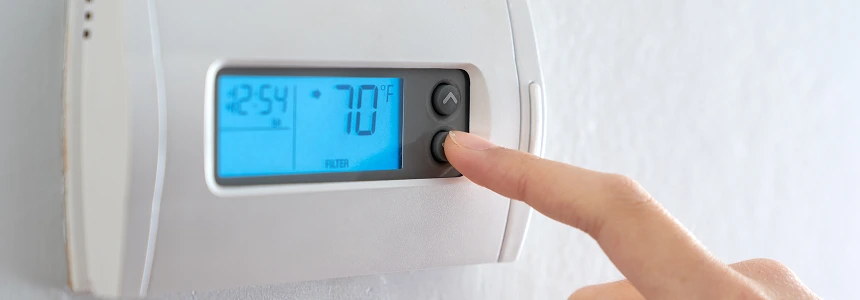
The U.S. Department of Energy and HVAC experts agree that 78°F is the ideal summer thermostat setting for most American homes, but that’s a blanket recommendation that’s not necessarily appropriate for every home, every day. A variety of factors could justify lower or higher settings.
Home size, for instance, can affect your target temperature for the optimal balance of efficiency and comfort. A smaller home doesn’t take very long to cool down, and air doesn’t usually have to travel very far from the handler to the registers. This usually translates to more efficient cooling, so a higher thermostat setting can still feel quite comfortable, even on a hot day.
In a larger home, cooled air has to travel a greater distance and may feel warmer by the time it reaches the farthest rooms in the home. Depending on the nature of the HVAC setup, a larger home may require a thermostat setting a degree or two lower than the Department of Energy’s 78°F recommendation.
Weather and climate are also considerations. A thermostat setting of 78°F may feel quite different in New Orleans than in Las Vegas. In a humid environment, if the cool air shuts off when the internal temperature hits 78°F, the room may continue to feel uncomfortable because the air conditioner wasn’t running long enough to adequately reduce the humidity level. On the other hand, an internal temperature of 78°F may feel perfectly comfortable in hot, dry weather.
The government’s recommendation is a good starting point, but you might consider a slightly cooler setting if you have a large home, live in an area prone to humid weather, or simply have a preference for cooler temperatures. Conversely, set your thermostat a little higher if you have less space to cool or live in a dry climate.
The number on the thermostat isn’t the only measure of how comfortable your home feels, so it’s helpful to consider an ideal temperature range instead of a hard target. For most homes, setting your thermostat somewhere between 76°F and 79°F while you’re home and awake will deliver comfort without sacrificing energy efficiency.
Ultimately, you will achieve the greatest energy and cost savings by raising the thermostat as high as you can comfortably tolerate it. Start at 78°F and leave it there for a couple hours to see how comfortable it feels. If it’s just a little too warm, use ceiling fans or standing fans to circulate the air, since moving air will make the room feel cooler. If it’s still too warm, feels humid, or parts of your home aren’t cooling down enough, nudge the thermostat down one degree at a time.
You’ll want to adjust your thermostat settings for when you’re out of the house. One of the best ways to save money on energy in hot weather is to turn the thermostat up several degrees while you’re at work, at school, on vacation, or running errands. The Department of Energy recommends a setting of 85°F while you’re away.
The single most important thing you can do to save on your summer cooling costs is to raise the thermostat when you’re away from home. You can manually raise the temperature whenever you’re about to step out, but a smart thermostat or programmable thermostat will automatically adjust up or down when appropriate. Here are some guidelines to reap the benefits of smart thermostat energy savings.
Even small mistakes or moderately bad habits can raise your energy costs because of the accumulating loss of energy or efficiency. Here are some things to watch out for.
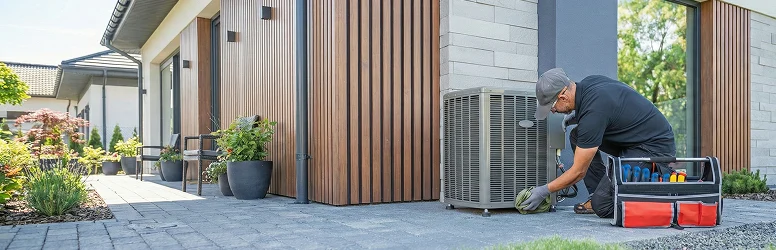
Careful thermostat adjustments will lower your energy costs and decrease the wear and tear on your home’s cooling system, but malfunctions are inevitable as the equipment ages, no matter how responsible you are about upkeep and maintenance. When something goes wrong, warranty coverage can ensure that the problem is fixed in no time and at a reasonable cost. Call (855)-953-9695 to learn more about our unparalleled home systems coverage.
The Department of Energy recommends setting the thermostat to 82°F overnight in the summer and using ceiling or standing fans to feel cooler. Most adults may find this uncomfortably warm, however, and science suggests the ideal sleep temperature is much lower. Setting the thermostat somewhere between 74°F and 78°F will likely give you a good balance of both comfort and savings.
Yes, a five-degree change to the thermostat can be significant, especially when considered over the course of a cooling season. A conservative estimate is 5% savings on energy costs when you raise the thermostat by five degrees. It’s very likely for that figure to be much higher. For a $200 monthly bill, that equates to at least $10 in savings.
It’s usually best to leave the HVAC fan set to “auto.” This ensures it only engages when there is active heating or cooling. If it’s set to “on,” your home is consuming more electricity, and the fan may blow in hot, humid air from outside. The “on” setting may be useful for mild weather, when you’re not using the heat or AC but want a little ventilation.
Yes, when programmed appropriately, smart thermostats can save you more money than their manual counterparts. Smart thermostats adjust the temperature automatically according to your schedule and preferred settings, minimizing the risk of having the heat or AC run when you didn’t intend it to.
Stay Ahead of Potential
Home Mishaps!
Subscribe to our Liberty Home Guard Newsletter and gain access to exclusive content that ensures your peace of mind.

Subscribe to receive our emails & get
Have questions?
Call us: (833) 544-8273