Coupons & Promotions

Whirlpool Microwave Display Not Working

If your Whirlpool microwave display isn’t working, it can be incredibly frustrating. Whether it’s a completely blank screen or just an unresponsive touchpad, it’s tough to use your microwave without a working display. But don’t panic just yet! There are several common reasons why the display might not be functioning, and many of them are easy to fix. In this guide, we’ll walk you through possible causes of the issue and offer helpful troubleshooting tips to get your Whirlpool microwave back to normal.

Extend the Life of Your Appliance

Find Your Solution Here!

Learn More

Key Reasons for the Problem:

%

35% of reported issues are the

Defective Electronic Control Boardquestion

%

25% of reported issues are the

Blown Thermal Fuse or Temperature Thermostatquestion

%

15% of reported issues are the

Faulty Door Interlock Switchquestion

%

25% of reported issues are the

All Other Causesquestion

One Plan. Every Appliance. Zero Stress.

Extended warranties only cover one item. Liberty Home Guard protects all your appliances and systems under one simple plan.
If it breaks, we’ve got you covered—no matter the brand.

Get My Free Quote

Diagnostic and Troubleshooting Steps

Whirlpool Microwave Display Not Working? Follow the steps below to troubleshoot common issues like a blown fuse, faulty control board, or loose ribbon cable connection behind the display panel.
Diagnostic & Troubleshooting
Check the Power Source

Step 1:

Check the Power Source

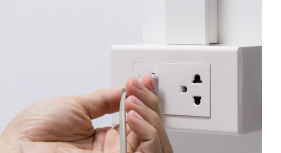
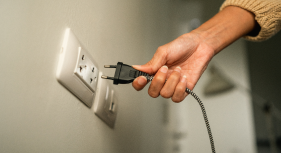
  • Unplug your microwave and plug it back into a known working outlet. 
  • If you’ve been using a power strip, try plugging the microwave directly into the wall.
Reset the Microwave

Step 2:

Reset the Microwave

  • Unplug the microwave from the wall and leave it unplugged for about 5 minutes.
  • Afterward, plug it back in and check if the display starts functioning again.
Inspect the Fuse

Step 3:

Inspect the Fuse

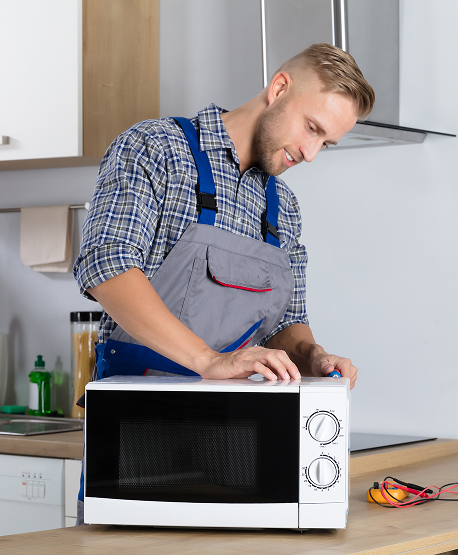
  • Unplug the microwave, remove the outer panel, and locate the fuse. 
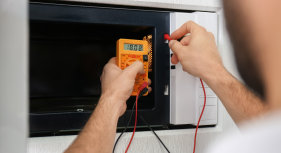
  • Use a multimeter to check for continuity. If the fuse is blown, it will need to be replaced.
Examine the Control Board

Step 4:

Examine the Control Board

  • If you feel comfortable, carefully remove the control panel to access the control board.
  • Check for signs of visible damage like burned spots or corrosion. If damaged, the board will need to be replaced.
     
Check for Loose or Damaged Wiring

Step 5:

Check for Loose or Damaged Wiring
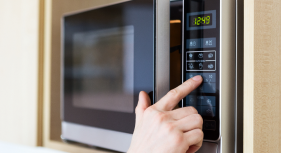
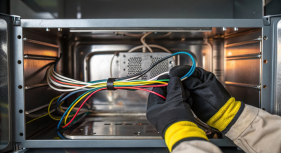
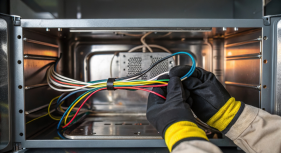
  • Carefully inspect the wiring inside the microwave, especially around the control board and display. 
  • Look for any signs of loose connections or exposed wiring.
     
Inspect the Keypad

Step 6:

Inspect the Keypad

  • Test the keypad by pressing various buttons and checking if the microwave responds in any way. =
  • You can also use a multimeter to test the keypad for electrical continuity.
     
Test for Electrical Surges or Power Issues
Step 7:

Test for Electrical Surges or Power Issues

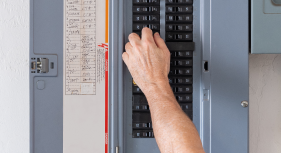
  • Check the circuit breaker to ensure the microwave is on a dedicated line. 
  • You may also want to try plugging the microwave into a surge protector to see if that resolves the issue.
Call a Professional Technician

Step 8:

Call a Professional Technician

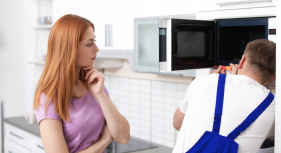
  • Contact a certified Whirlpool repair technician to diagnose and fix the issue.

Key Actions for Homeowners:

  • Ensure that the microwave is plugged into a working outlet. 
  • Avoid overloading the microwave.
  • Keep the microwave clean. 
  • Regularly reset your microwave.
     
Diagnostic & Troubleshooting

Most Common Repairs Needed to Fix a Whirlpool Microwave

When your microwave’s display isn’t working, certain repairs are more commonly required than others. Below are the most frequent fixes:
 

    • Replace a Blown Fuse:
      A blown fuse is one of the most common causes of a non-working microwave display. To fix it, use a multimeter to test the fuse for continuity. If it’s blown, you’ll need to replace it with an identical part. This is a relatively simple DIY repair that only requires basic tools like a screwdriver and a multimeter.
    • Replace the Microwave’s Thermal Fuse (If Equipped):
      The thermal fuse acts as a safety mechanism, shutting off the microwave if it overheats. Use a multimeter to test the thermal fuse for continuity. If it has blown, replace it with a compatible part. Make sure to investigate the cause of overheating to prevent the new fuse from blowing again. This often requires disassembling the microwave to access the fuse.
    • Repair Power Supply Issues:
      Sometimes, the issue with the microwave display may stem from a power supply problem. Inspect the power cord for any visible damage or fraying. You should also test the wall outlet with another appliance to ensure it’s providing a stable power supply. If the microwave is plugged into a power strip, try plugging it directly into the wall. If you suspect a deeper electrical issue, it’s best to consult a licensed electrician to inspect the power supply.

Frequently Asked Questions

  • Why is the display on my Whirlpool microwave not working?

    The most common reasons for a Whirlpool microwave display not working include a blown fuse, a faulty control board, a damaged keypad, or wiring issues. These components are responsible for powering the display, and if any of them malfunction, the display can stop functioning. Power issues, like a loose plug or a faulty outlet, can also prevent the display from working.

  • How can I reset my Whirlpool microwave if the display isn't working?

    To reset your Whirlpool microwave, unplug it from the power outlet and leave it unplugged for about 5 minutes. After the waiting period, plug it back in and check if the display is functioning. This simple reset can often resolve minor glitches caused by temporary software issues or electrical surges.
     

  • Can I fix a blown fuse in my Whirlpool microwave myself?

    Yes, replacing a blown fuse in a Whirlpool microwave is a relatively simple DIY repair. You'll need to unplug the microwave, locate the fuse behind the control panel, and use a multimeter to check for continuity. If the fuse is blown, replace it with a compatible replacement part. Make sure to follow safety precautions when working with electrical components.

  • When should I call a professional to fix my Whirlpool microwave display?

     If you've tried the basic troubleshooting steps, like resetting the microwave, checking for power issues, or replacing the fuse, and your Whirlpool microwave display is still not working, it's best to call a professional. Repairing the control board, dealing with electrical issues, or replacing damaged wiring can be complex and may require a technician with specialized knowledge and tools. A professional can safely diagnose and fix the issue.

Liberty Home GuardLiberty Home GuardLiberty Home GuardLiberty Home GuardLiberty Home Guard

The Most Consumer Centric
Home Warranty Provider.

Homeowners across the country recommend Liberty Home Guard Home Warranty above all others.
Don’t just take our word for it—Liberty Home Guard Reviews speak for themselves!

Rebel Overhead doors who was sent by...

Rebel Overhead doors who was sent by our warranty company Liberty Home Guard was on time, professional and finished the job quickl...

Robin T.

Liberty home Guard
Liberty Home Guard covered the repai...

Liberty Home Guard covered the repair of my appliance. The whole process has handled quickly and efficiently. Very positive. The r...

Russel C.

Liberty home Guard
I had the pleasure of speaking with ...

I had the pleasure of speaking with Andrenina at Liberty Home Guard and I can't express how grateful I am for her outstanding serv...

Debra S.
Liberty home Guard
Greatly appreciated George Ramsey an...

Greatly appreciated George Ramsey and his patience and expertise with walking me through my home warranty purchase. He got me a go...

Veronica W.

Liberty home Guard
David Diaz was awesome and very Help...

David Diaz was awesome and very Helpful getting the situation resolved for the customer.   

Michael P.

Liberty home Guard
MT father purchased my policy along ...

MT father purchased my policy along with a continuation policy for my sister Rikki! Your company treated her so well, I am looking...

Richard H.

Liberty home Guard
I called to file a claim for service...

I called to file a claim for service on my pool pum. The LHG rep was very polite and fast with helping me file my claim. I really ...

Reginald E.

Liberty home Guard
Luis at Liberty Home Guard was so he...

Luis at Liberty Home Guard was so helpful and understanding with my oven repair. He always kept me updated and shared multiple opt...

Sarah G.

Liberty home Guard
George was great. He walked me throu...

George was great. He walked me through the plan options clearly, worked with me to find a rate that fit my budget, and didn’t pr...

Brent C.

Liberty home Guard
Special thanks to Katiria Perez for ...

Special thanks to Katiria Perez for answered to my request in a timely manner. She went out her way to make my request happen . Th...

Darren G.

Liberty home Guard
Liberty Home Guard
Appliance Acting Up?
Get Covered Before the
Next Breakdown
Get My Free Quote
Liberty Home Guard
Need help?

Talk to our Liberty Home Guard Agents 24/7.

(855) 953-9695