Coupons & Promotions

Samsung washer not draining or spinning

A washing machine that won’t drain or spin can disrupt your day fast—especially when you’ve got a pile of laundry waiting. If your Samsung washer is not draining or spinning, you’re not alone. These issues are fairly common and can often be resolved without a service call.

Whether you're dealing with standing water in the drum or clothes coming out sopping wet, this guide will walk you through the most common causes and practical solutions to get your Samsung washer back in working order.
 

Key reasons for the problem:

%

35% of reported issues are the

Clogged Drain Pump Filterquestion

%

25% of reported issues are the

Twisted or Clogged Drain Hosequestion

%

20% of reported issues are the

Faulty Drain Pump or Water Level Sensorquestion

%

20% of reported issues are the

All Other Causesquestion

One Plan. Every Appliance. Zero Stress.

Extended warranties only cover one item. Liberty Home Guard protects all your appliances and systems under one simple plan.
If it breaks, we’ve got you covered—no matter the brand.

Get My Free Quote

Diagnostic and troubleshooting steps

Samsung Washer Not Draining or Spinning? Follow the steps below to troubleshoot common issues like a clogged drain filter, obstructed drain hose, or a faulty drain pump.

Diagnostic & Troubleshooting
Check for a Clogged Drain Pump Filter

Step 1:

Check for a Clogged Drain Pump Filter
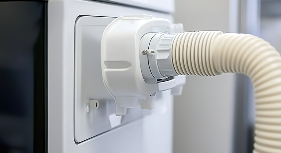
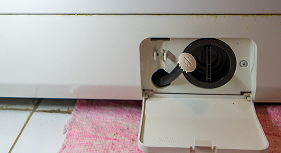
  • Locate the filter and open the access panel. You may need to unscrew the panel to access the filter.
  • Inspect the filter for any debris like lint, coins, or small clothing items that could be blocking the flow.
  • Clean the filter thoroughly by removing any obstructions, rinse the filter, and replace it.
  • Run a spin cycle to test if the washer drains and spins properly after cleaning the filter.
     
Inspect the Drain Hose for Blockages or Kinks
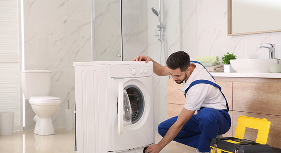
Step 2:

Inspect the Drain Hose for Blockages or Kinks

  • Turn off the washer and unplug it.
  • Check the drain hose and look for kinks, bends, or any visible blockages.
  • Clear any obstructions.  If you notice a clog, detach the hose and flush it with water to remove debris.
  • Ensure the hose is properly installed at the correct height to prevent siphoning issues.
  • After fixing the hose, plug it back in and run a short cycle to see if the drainage issue persists.
     
Balance the Load Inside the Washer

Step 3:

Balance the Load Inside the Washer
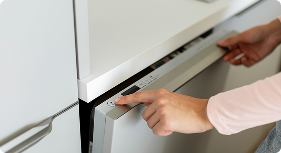
  • Pause the cycle and redistribute the clothes, ensuring there is a mix of large and small items to evenly distribute the weight.
  • Check for overloading as this can prevent the drum from spinning properly.
  • Run a spin cycle to  test the washer to see if it drains and spins as expected.
     
Inspect the Door Lock or Lid Switch

Step 4:

Inspect the Door Lock or Lid Switch
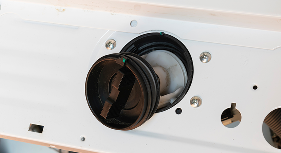
  • Check for a working door lock — your washer won’t drain or spin unless the door is securely locked.
  • Close the door firmly and ensure the lock mechanism engage by listening for a “click.” 
  • Test the lid switch by using a multimeter to check for continuity if you’re comfortable doing so.
  • If the switch is damaged, you may need to replace it with a model-specific part.
     
Examine the Drain Pump for Malfunctions
Step 5:

Examine the Drain Pump for Malfunctions

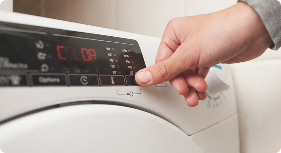
  • Turn off and unplug the washer and locate the drain pump.
  • Inspect for debris or damage, and check the impeller for any blockages or damage.
  • If the washer is still not draining, test the pump with a multimeter to check for continuity.
  • If the pump is faulty, replace it with a compatible Samsung part.
     
Check for Error Codes or Faulty Wiring
Step 6:

Check for Error Codes or Faulty Wiring

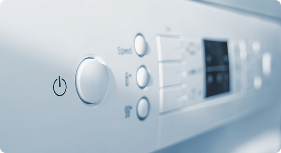
  • If your Samsung washer isn’t draining or spinning, it may display an error code like 5E, 8E, or dE. Refer to your user manual for specific error code explanations.
  • Inspect the control board. Sometimes, wiring issues or a faulty control board can prevent your washer from completing its cycles.
  • Reset the washer by unplugging the washer for 1-2 minutes and then plug it back in to reset the control board. This can help clear minor electronic glitches.
  • If the error codes persist, or the washer is unresponsive, a technician may need to replace the control board or inspect the wiring.
     
Run a Diagnostic Cycle

Step 7:

Run a Diagnostic Cycle

  • Initiate diagnostic mode to help identify the cause of issues like drainage or spinning problems.
  • Refer to your Samsung washer’s user manual for instructions on how to enter diagnostic mode.
  • Record error codes that appear and consult your manual to understand what they mean.
  • If the diagnostic cycle indicates a more complex issue (e.g., control board failure, electrical issue),it’s best to contact a professional technician for repair.
     

Key actions for homeowners:

  • Clean the drain filter monthly.
  • Avoid overloading the drum.
  • Use the right amount of detergent to prevent suds buildup.
  • Inspect hoses and vents periodically for wear or blockage.
  • Balance your loads by mixing small and large garments.
     
Diagnostic & Troubleshooting

Most common repairs needed to fix a samsung washer

When your washer isn't drying or spinning, certain repairs are more commonly required than others. Below are the most frequent fixes:
 

    • Replace the Drain Pump:
      Turn off and unplug the washer for safety, then locate the drain pump by removing the lower panel or back access panel. Inspect the pump impeller for debris or damage and use a multimeter to check the pump for continuity. If the pump is faulty, replace it with a compatible Samsung part.
    • Inspect the Drain Hose for Blockages:
      Turn off and unplug the washer and detach the drain hose from the back of the washer. Inspect the hose for kinks or blockages. Clear any clogs using a long object like a plumbing snake or run water through the hose to flush out debris. Reinstall the hose and test the washer.

Frequently Asked Questions

  • Why is my Samsung washer not draining or spinning?

    Common causes include clogged drain filters, blocked drain hoses, or a malfunctioning drain pump. It could also be due to a faulty door lock or lid switch, which prevents the washer from completing its cycle. Additionally, issues with the control board, pressure switch, or even a worn-out drive belt can also be to blame. Follow the diagnostic steps outlined in the article to pinpoint the issue and resolve it.

  • How can I fix a clogged drain pump in my Samsung washer?

     To fix a clogged drain pump, start by unplugging the washer and locating the drain pump (usually accessible via the bottom panel). Inspect the pump for any debris like lint, coins, or fabric that might be blocking the flow of water. If the pump is clogged, carefully remove the debris, rinse the filter, and reinstall it. If the pump appears damaged or continues to malfunction, it may need to be replaced with a new one.

  • My Samsung washer won't spin, even after I balanced the load. What should I check next?

    If your washer won’t spin after balancing the load, the issue may be related to the door lock, the motor coupling, or the drive belt. Start by checking the door lock or lid switch to ensure it's securely engaged. If the lock is fine, move on to the motor coupling and inspect it for damage or wear. A broken drive belt can also prevent spinning, so check the belt for any signs of fraying or breakage. If these components are all in good condition, you may need to look at the control board or pressure switch for potential malfunctions.

  • Can I repair my Samsung washer myself, or should I call a professional technician?

    Many minor repairs on a Samsung washer, like cleaning the drain filter or checking the drain hose, can be done by homeowners with basic DIY skills. However, more complex issues—like replacing the control board, motor, or pressure switch—often require specialized tools and knowledge. If you're uncomfortable with electrical components or if the washer continues to malfunction after you've completed the basic troubleshooting steps, it’s best to contact a professional technician to avoid further damage and ensure a safe repair.
     

Liberty Home GuardLiberty Home GuardLiberty Home GuardLiberty Home GuardLiberty Home Guard

The Most Consumer Centric
Home Warranty Provider.

Homeowners across the country recommend Liberty Home Guard Home Warranty above all others.
Don’t just take our word for it—Liberty Home Guard Reviews speak for themselves!

I've had this home warranty service ...

I've had this home warranty service for over a year. I've exclusively used the "pick a contractor" option and have had good result...

Omar K.

Liberty home Guard
I was expecting so so service and re...

I was expecting so so service and repair, but that was not the case. The over the range microwave door stopped closing. I put in a...

Alice N.

Liberty home Guard
JP was extremely professional, frien...

JP was extremely professional, friendly, and efficient throughout the entire process. He communicated clearly, handled everything ...

Donald P.

Liberty home Guard
E Perach is the most understanding h...

E Perach is the most understanding helpful home warranty professional I’ve ever dealt with after have 3 other companies. Her cus...

Michael F.

Liberty home Guard
The support-person was very knowledg...

The support-person was very knowledgeable and gave me the information I needed to make my decision. Suppoet-person was Tony Torres...

John M.

Liberty home Guard
Great job. Would highly recommend th...

Great job. Would highly recommend the technician!! And fast: our dryer needed repair on a Friday and by the following Tuesday we h...

Larry F.

Liberty home Guard
Representative was very knowledgable...

Representative was very knowledgable and friendly. This is the second call about an issue and Tony was extremely patient and helpf...

JoAnn W.

Liberty home Guard
Maia Palmer was the most helpful rep...

Maia Palmer was the most helpful representative I have spoken with at Liberty Home Guard. They took care of my claim with compassi...

May D.

Liberty home Guard
I'm so glad I switched to Liberty. T...

I'm so glad I switched to Liberty. They were quick to respond to my request and covered the work that needed to be done. 

Debra D.

Liberty home Guard
I have Liberty Home Guard for an yea...

I have Liberty Home Guard for an year. I worked with Ronald Moran. He is an awesome service representative. From the point I open ...

Vidyasagar U.

Liberty home Guard
Liberty Home Guard
Need help?

Talk to our Liberty Home Guard Agents 24/7.

(866) 225-7958